 CommentStream
See where people talked
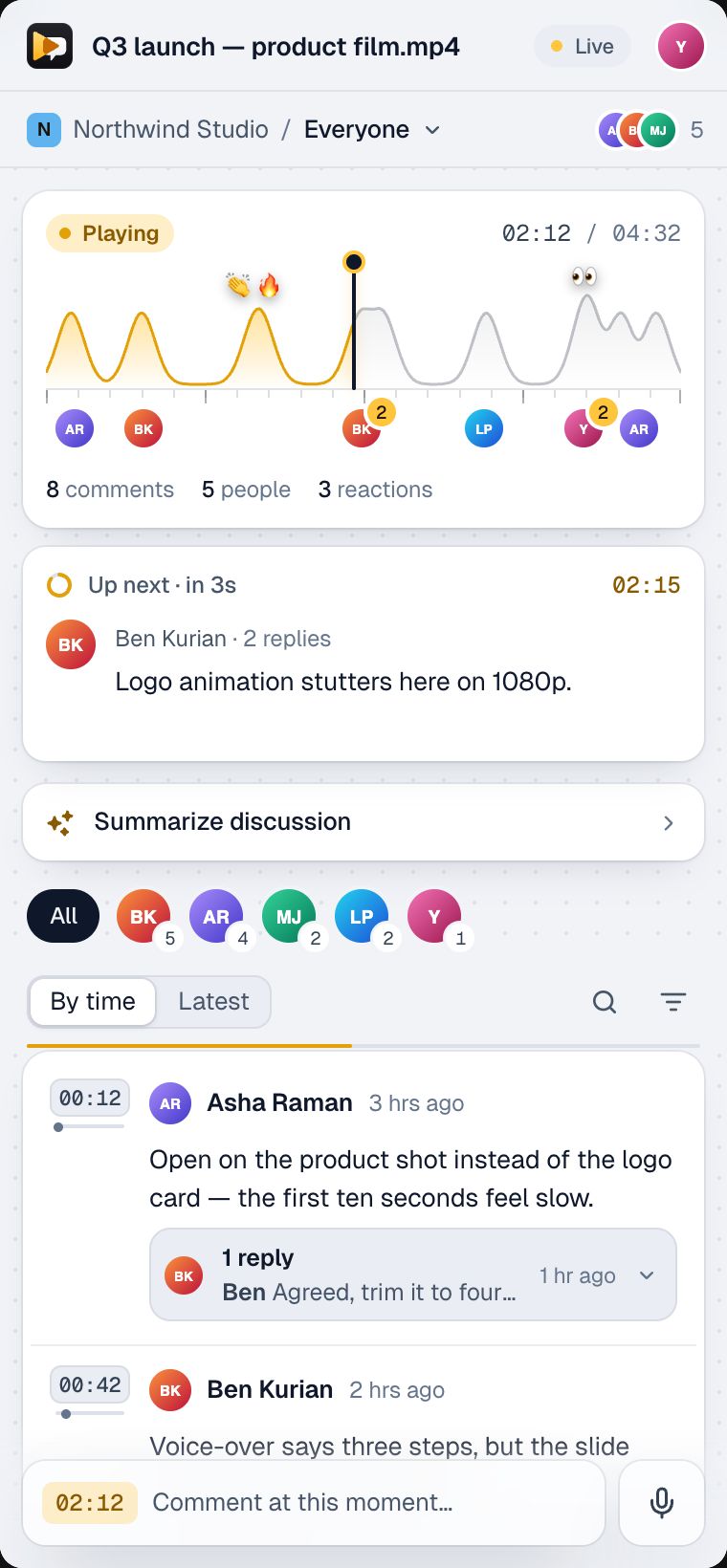
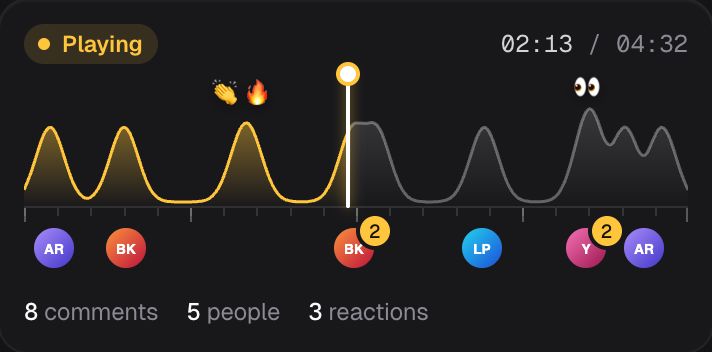
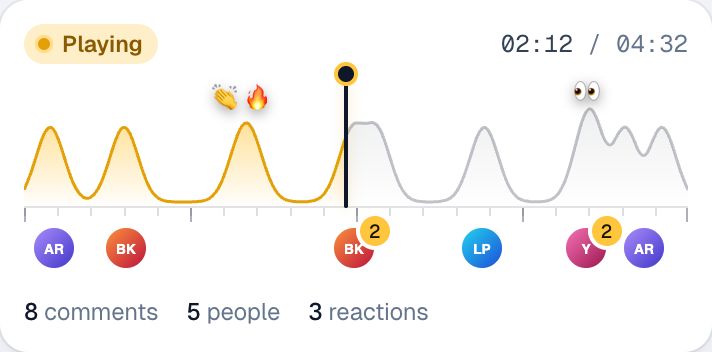
The conversation map shows the whole video, with faces where comments cluster and the playhead moving through it.
Your team’s conversation on any Drive and Meet recording. Record in Google Meet or with Google’s free screen recorder, keep it in Drive, and talk it through here: comments at the second, reactions on the video, replies that reach people, and an AI summary of what the team wrote.
Try it
This is the CommentStream panel and player overlay, running in your browser on a sample Drive video. Play it, comment at a second, react, reply in a thread and summarize the discussion.
The real panel and player overlay, running on sample data. Nothing you type leaves this page. If you use the mic, Chrome sends your speech to Google's speech service to turn it into text; we never receive or store audio.
On the video
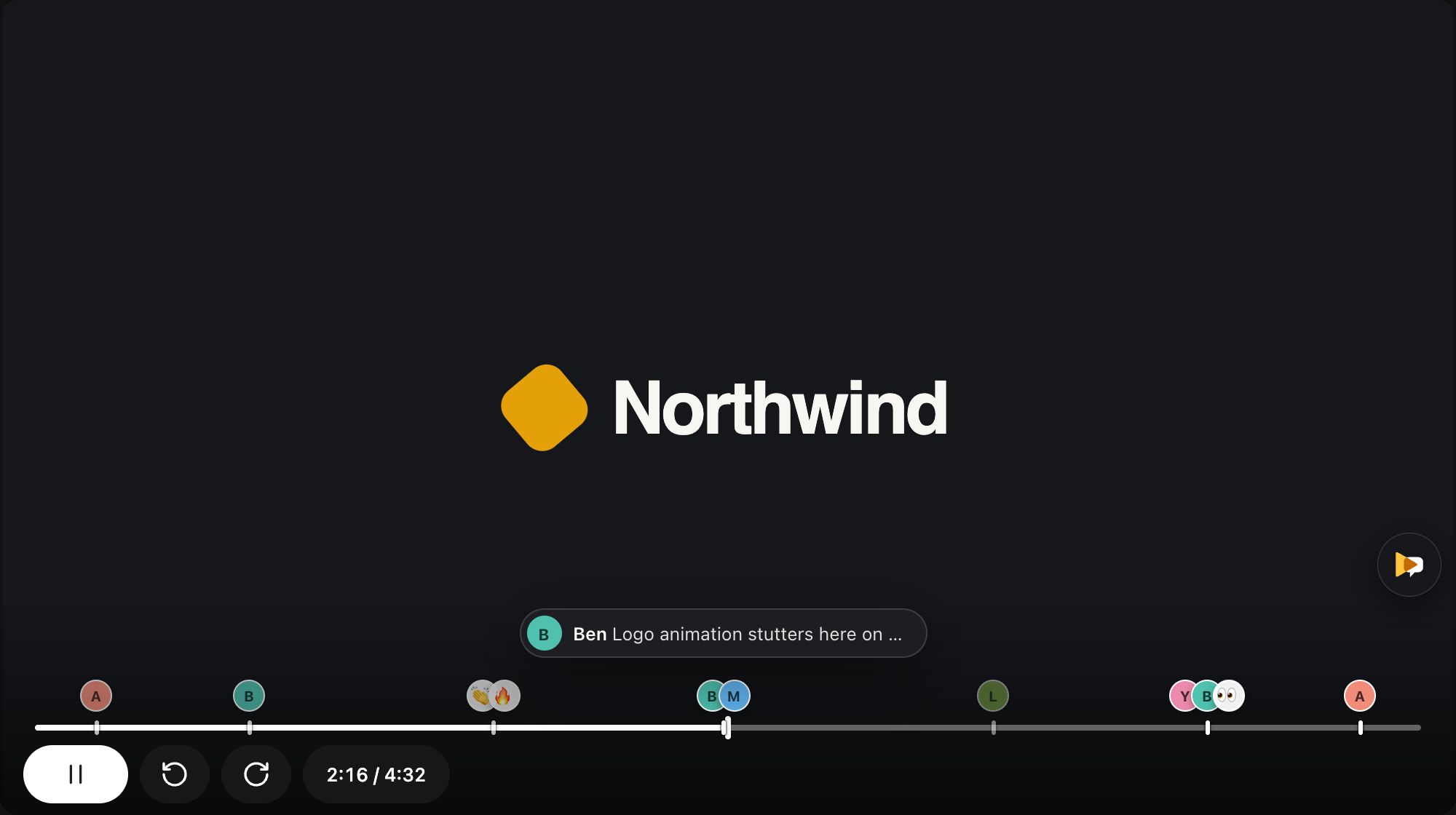
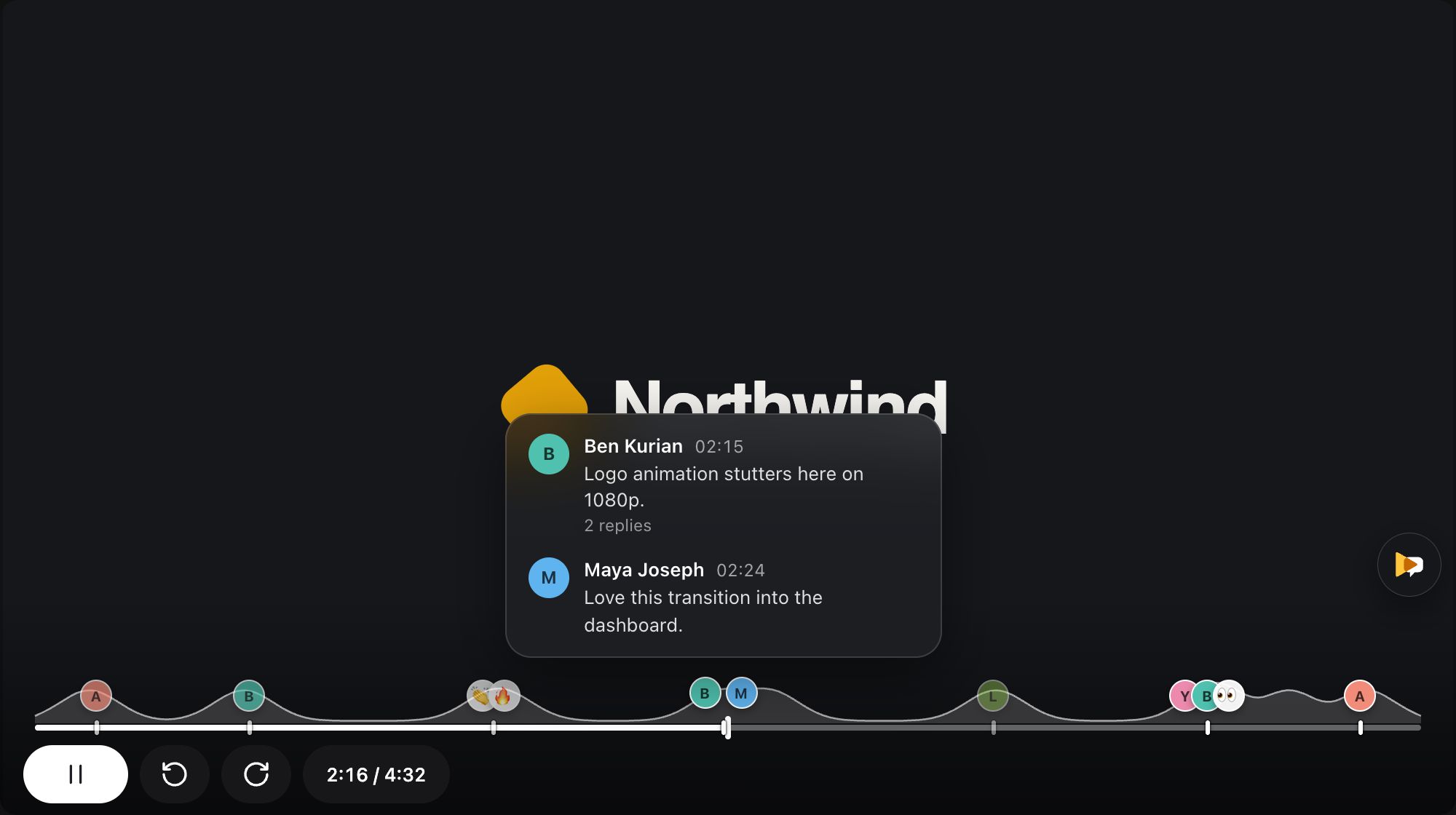
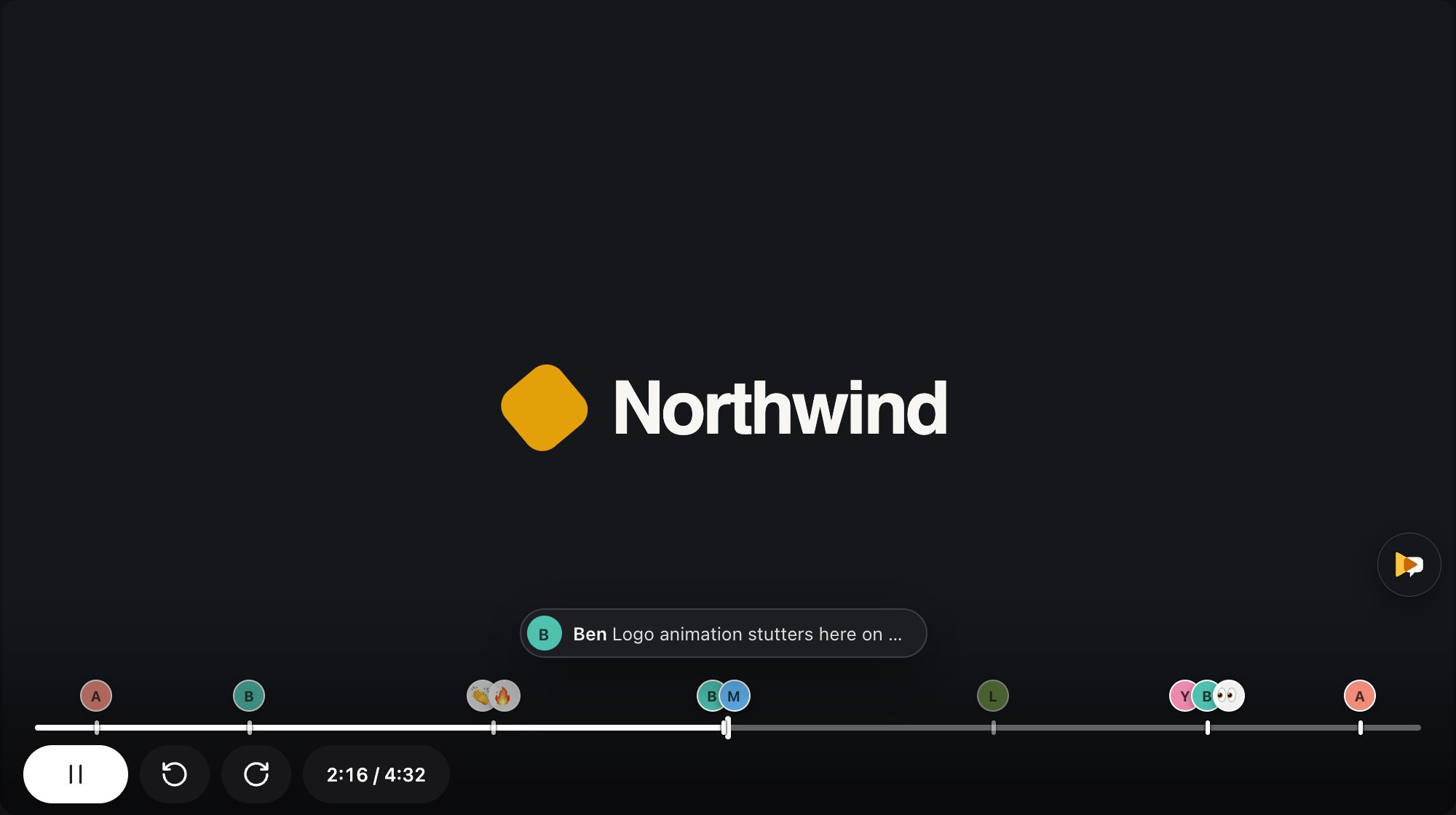
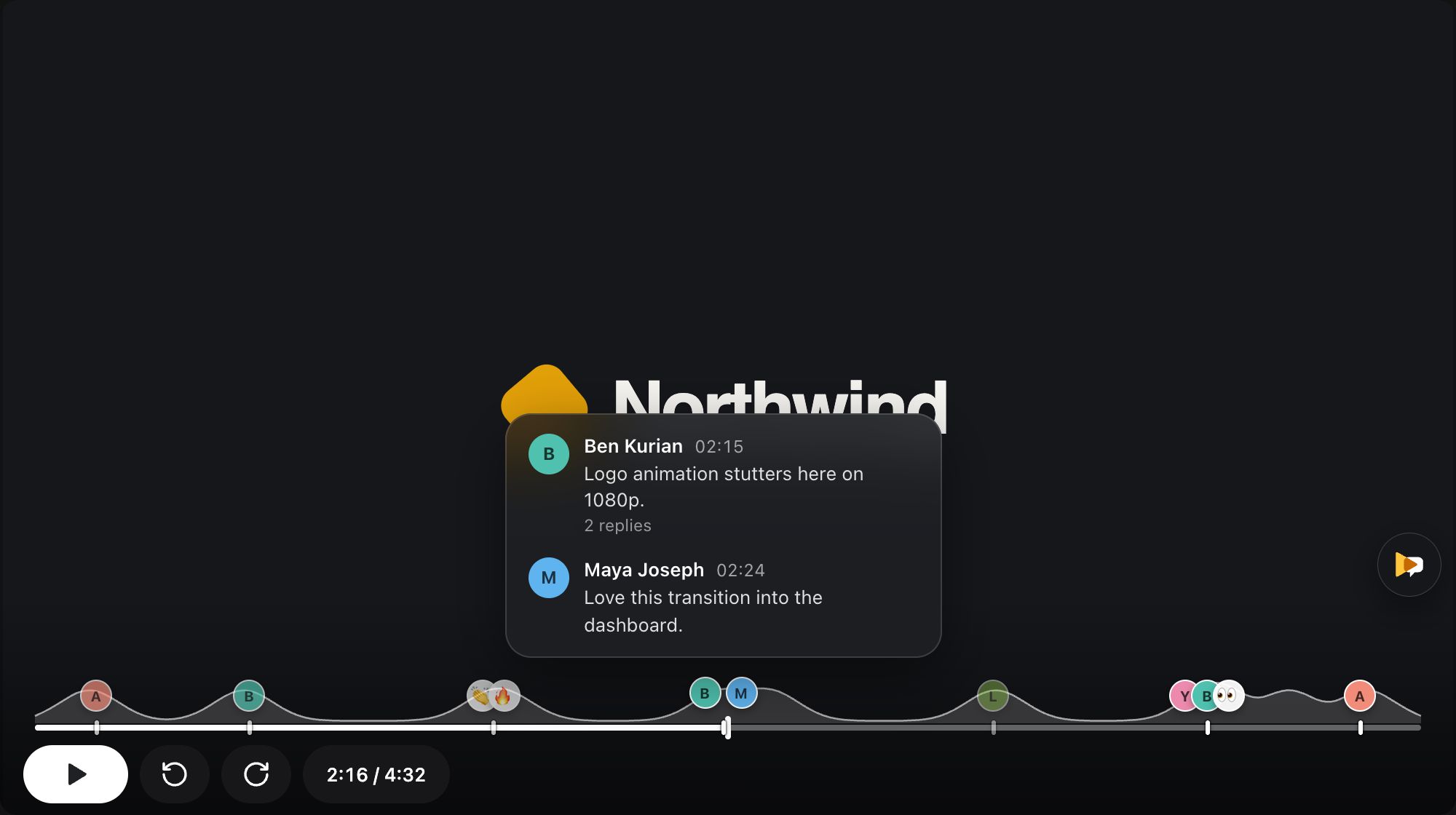
Each moment people talked about shows their faces right on the player. You see where the review is before you press play.
The panel
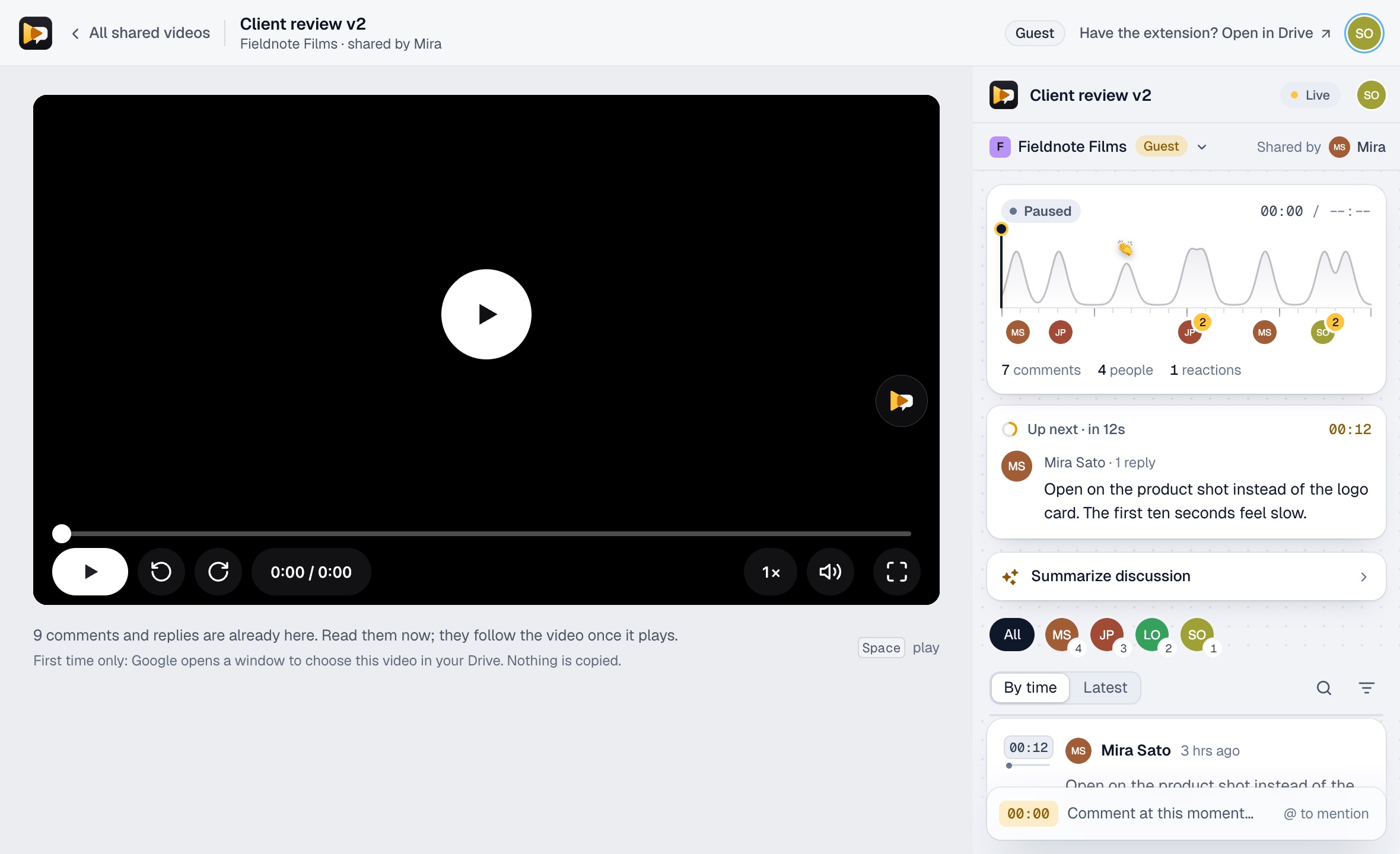
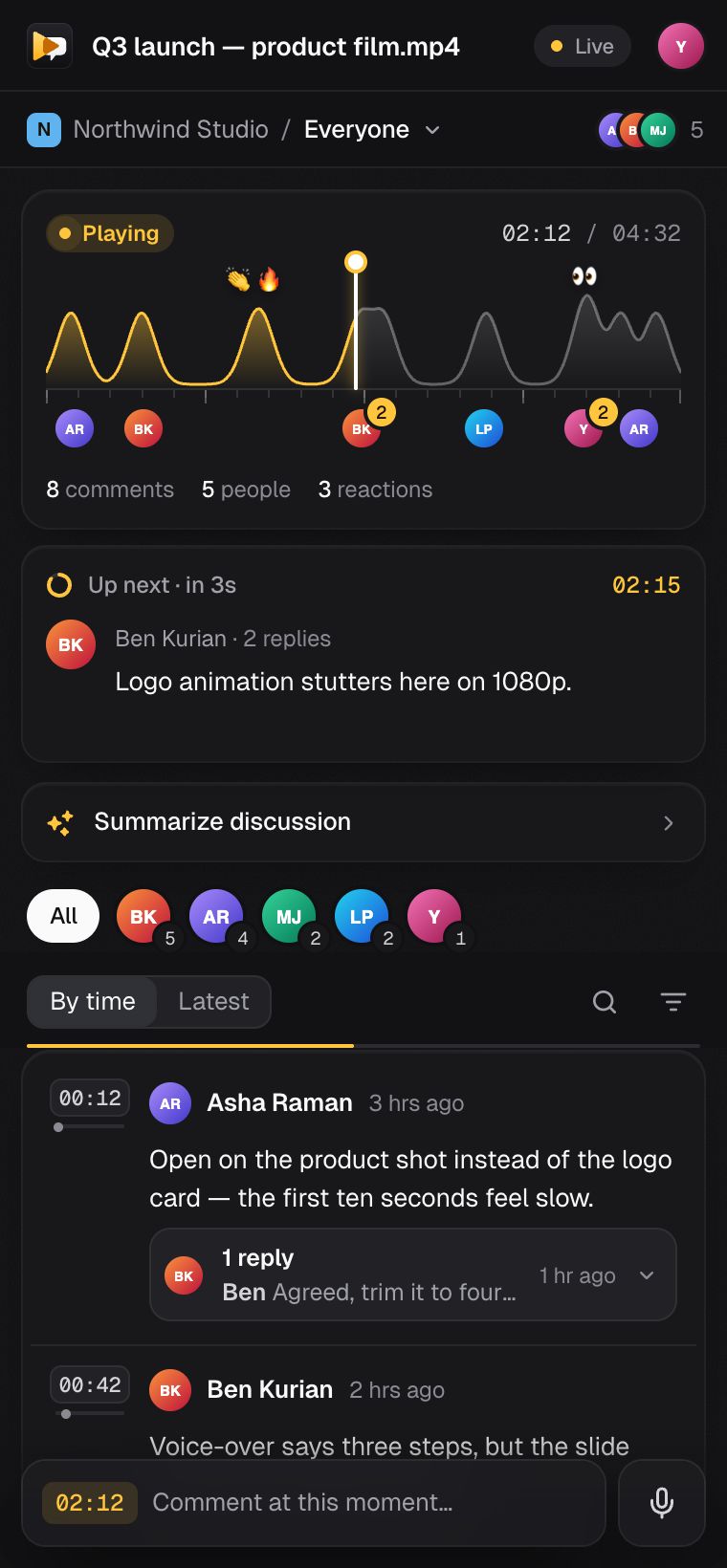
The CommentStream panel docks in Chrome's side panel, so the video keeps its whole frame while the review happens next to it.
The conversation map shows the whole video, with faces where comments cluster and the playhead moving through it.
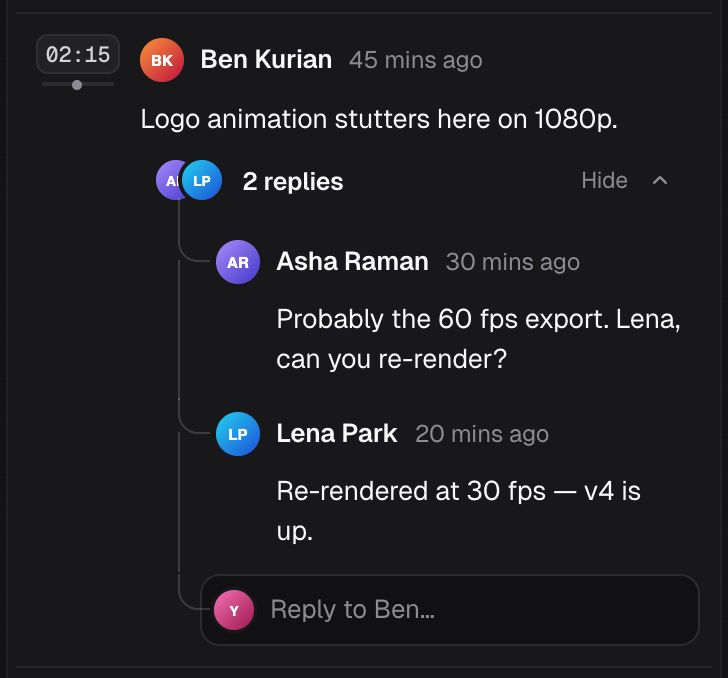
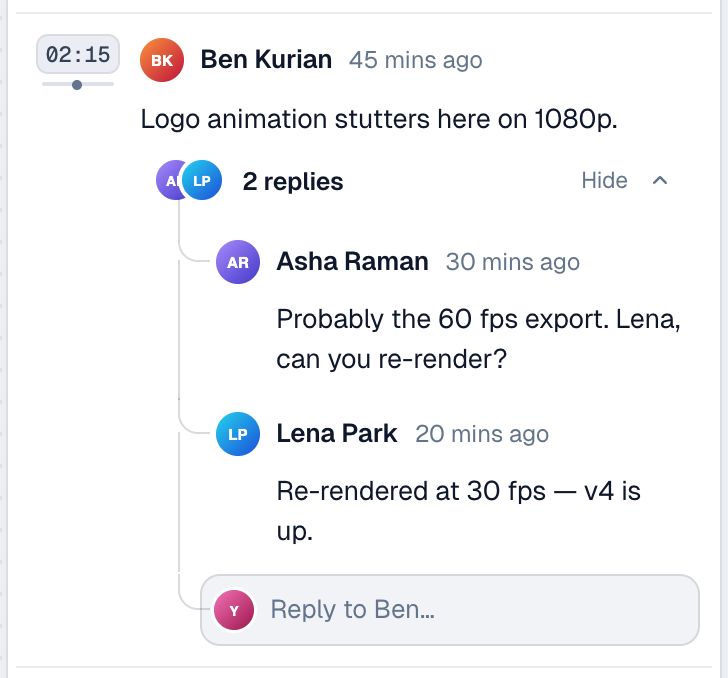
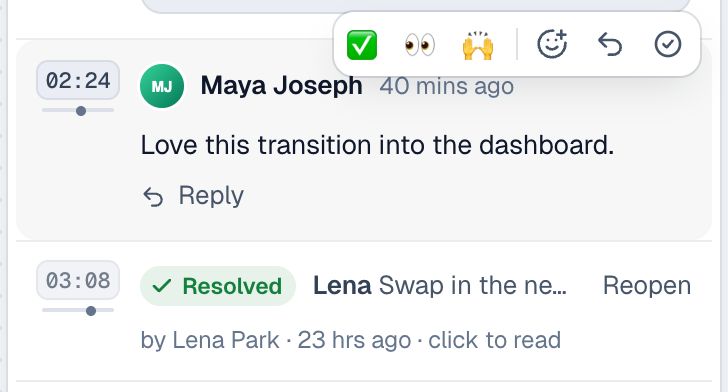
Every comment opens a thread at its timecode. Replies, @mentions and reactions stay with the moment they are about.
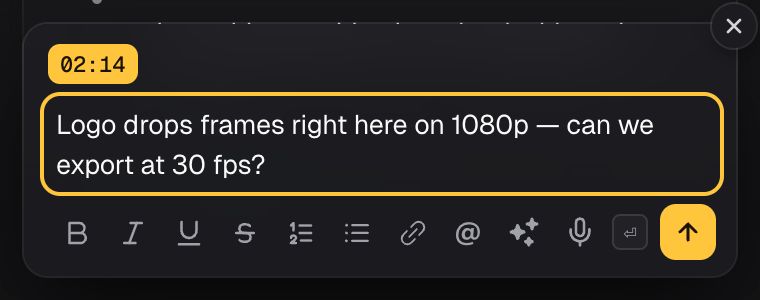
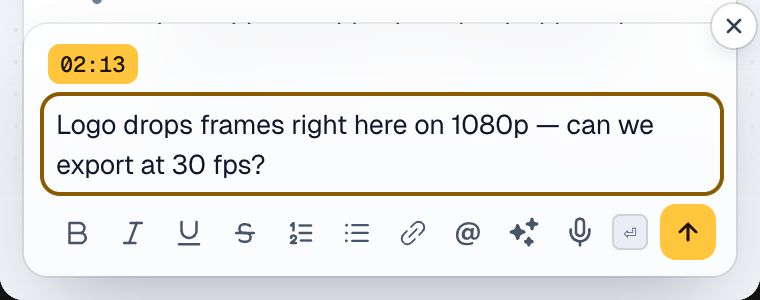
Pause and type. The composer shows the timecode your comment will carry, so nobody has to write "around 2:15" again.
Conversations
Answer the exact reply you mean, react without typing, and resolve a thread when it’s done. In a long review, search and a filter for several people find the comments you need.
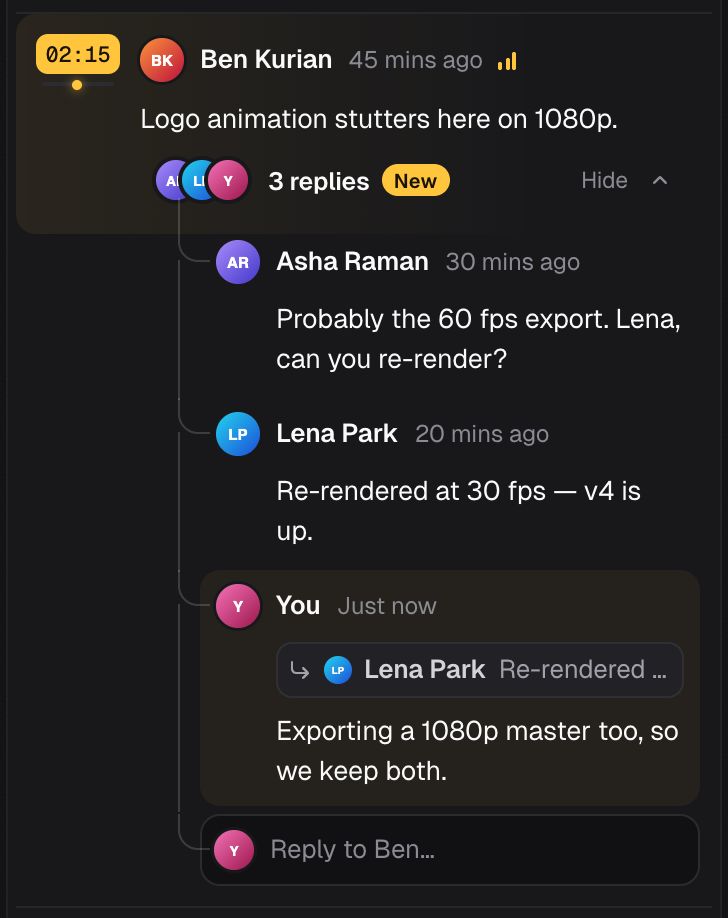
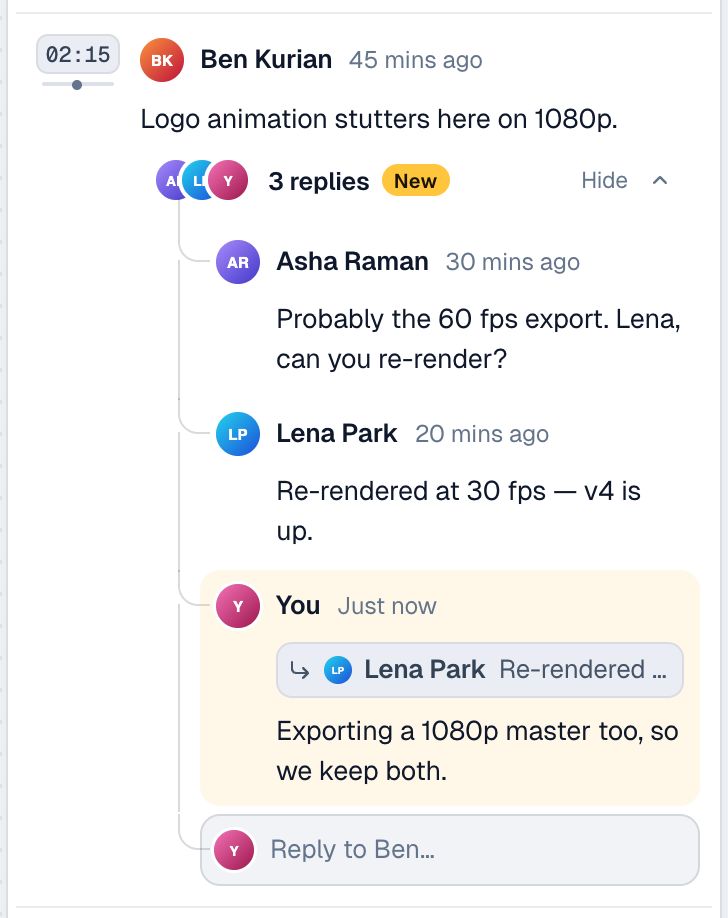
Your reply quotes the one you’re answering, and the quote jumps back to it. Threads stay one level, so they still read top to bottom.
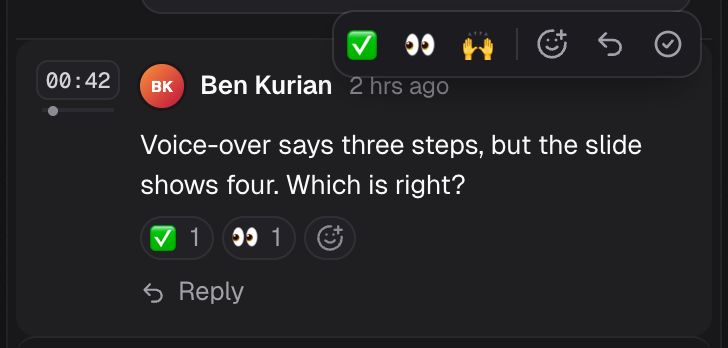
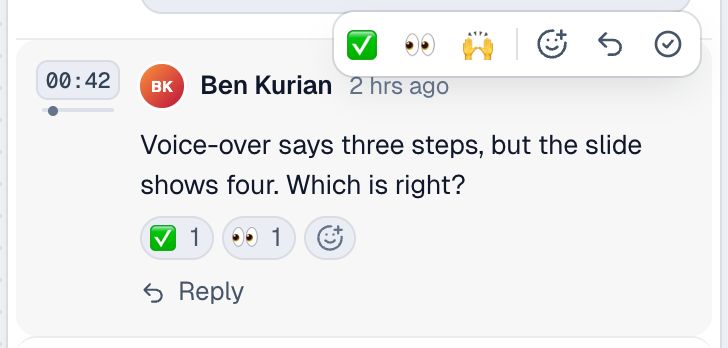
✅ 👀 🙌 from the bar over any comment or reply, or any emoji from the picker. Hover a chip to see who reacted.
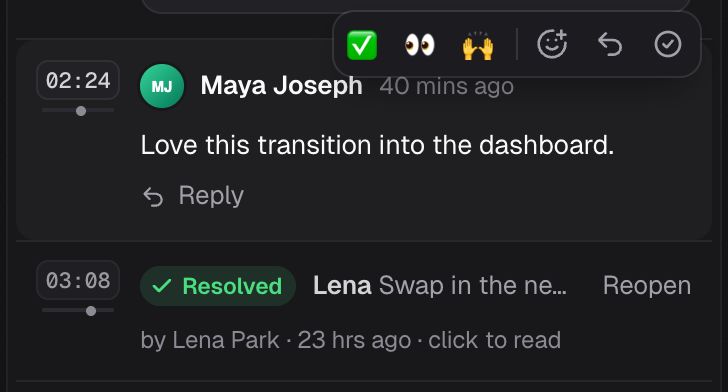
A resolved thread folds to one line that says who resolved it. Everyone in it hears in their inbox, and on Slack on Pro and Business.
Summaries
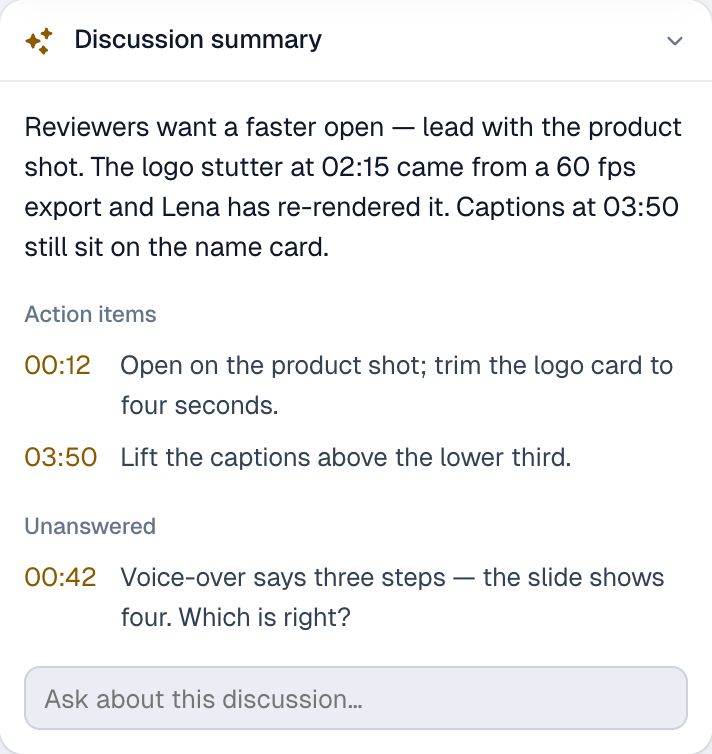
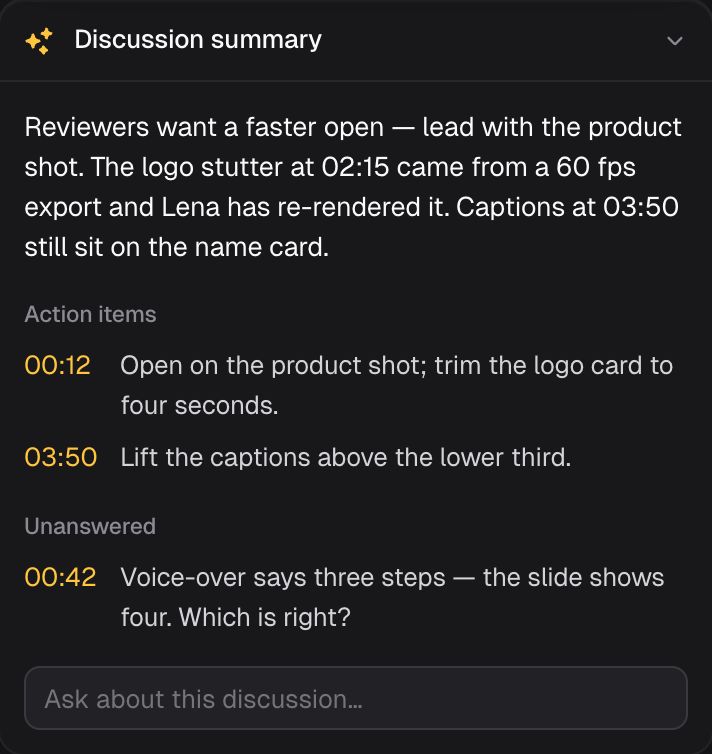
Summarize discussion reads every comment on the video and writes it up: what the reviewers want, the action items at their timecodes, and the questions nobody answered yet.
Guests
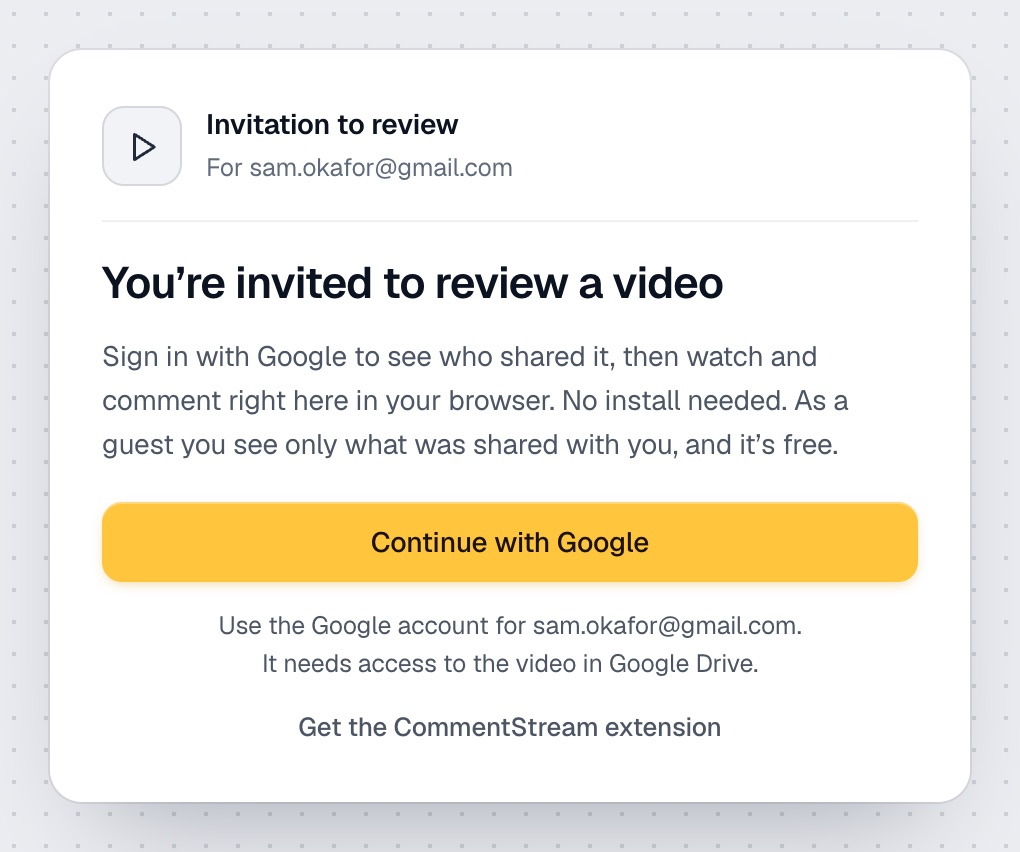
On Pro and Business, invite someone outside the team to one video. They sign in with Google, play it from their own Google Drive and comment at the second on the CommentStream website. They see that one conversation and nothing else.
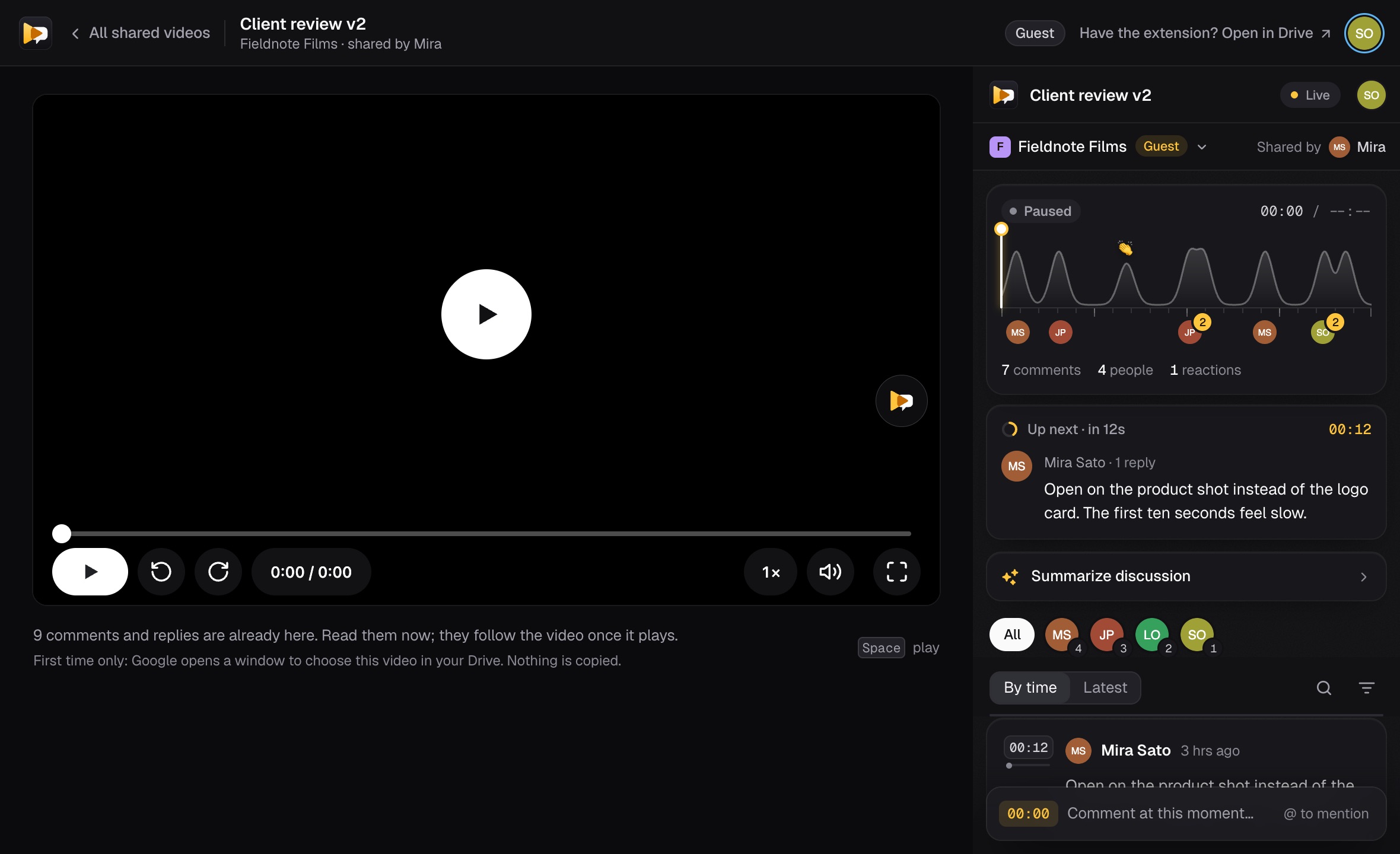
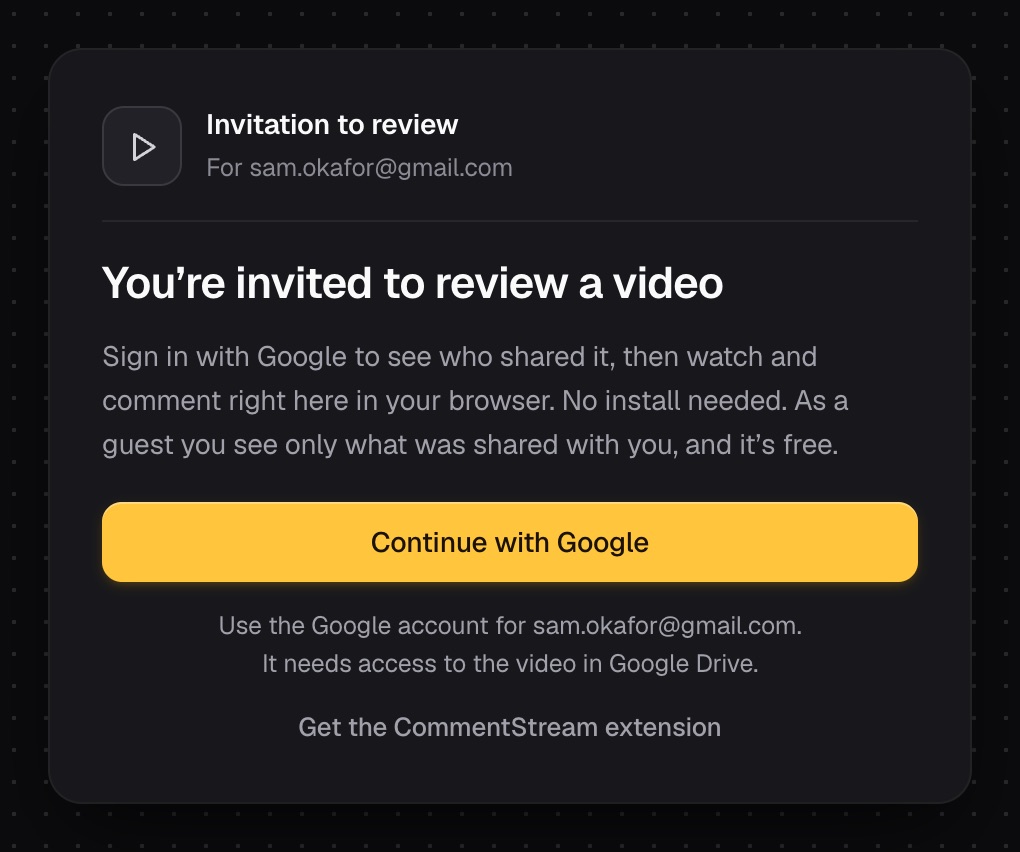
The invitation arrives by email. The guest continues with the Google account the video is shared with; the first time, Google asks them to choose the video in their Drive. Then the conversation is open beside it. Guests take no seat.
Inbox and Slack
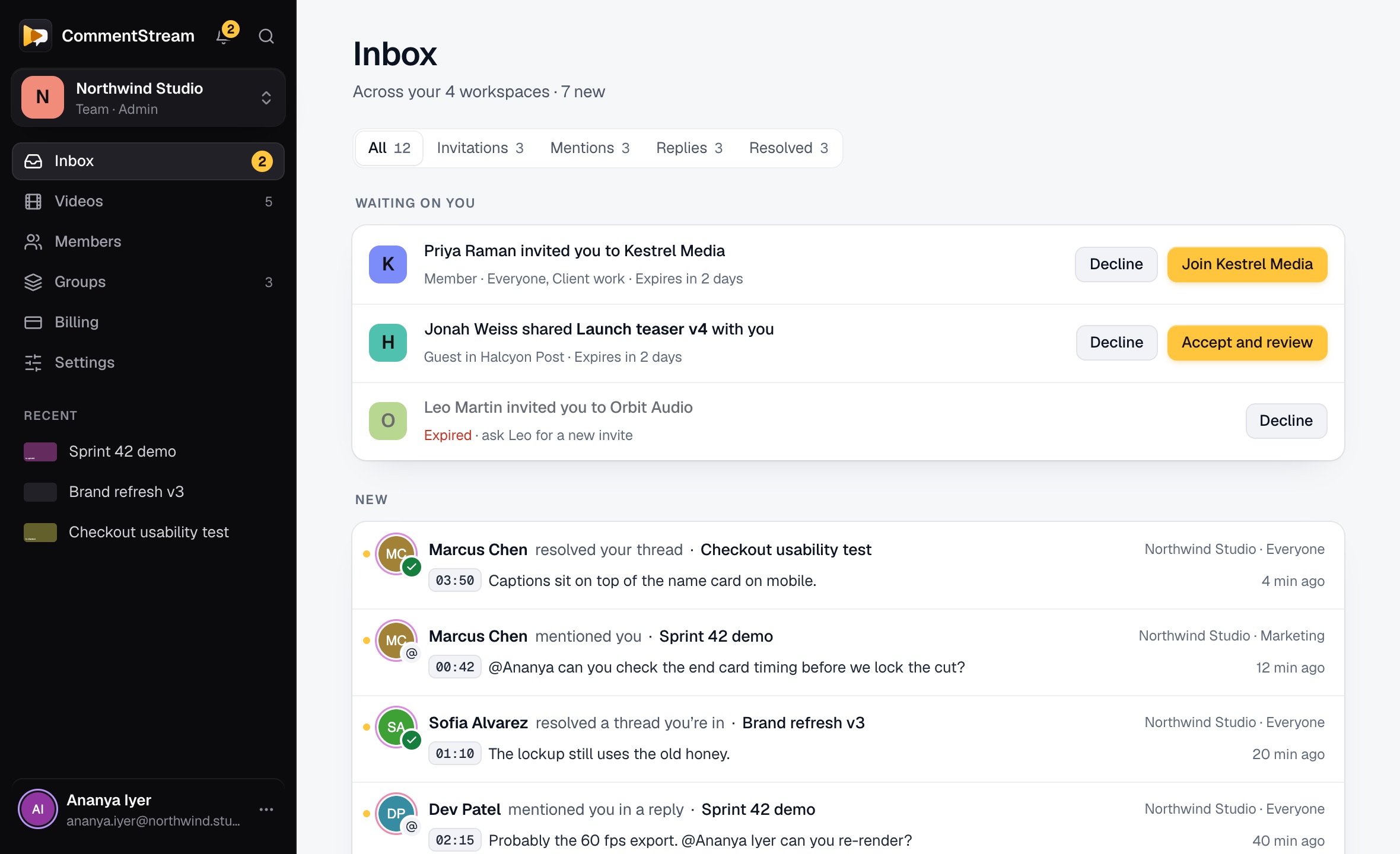
Invitations, @mentions, replies and resolved threads from every workspace land in one inbox on the website. On Pro and Business, the CommentStream bot also sends a Slack DM when you’re mentioned, someone replies in your thread, or someone resolves it.
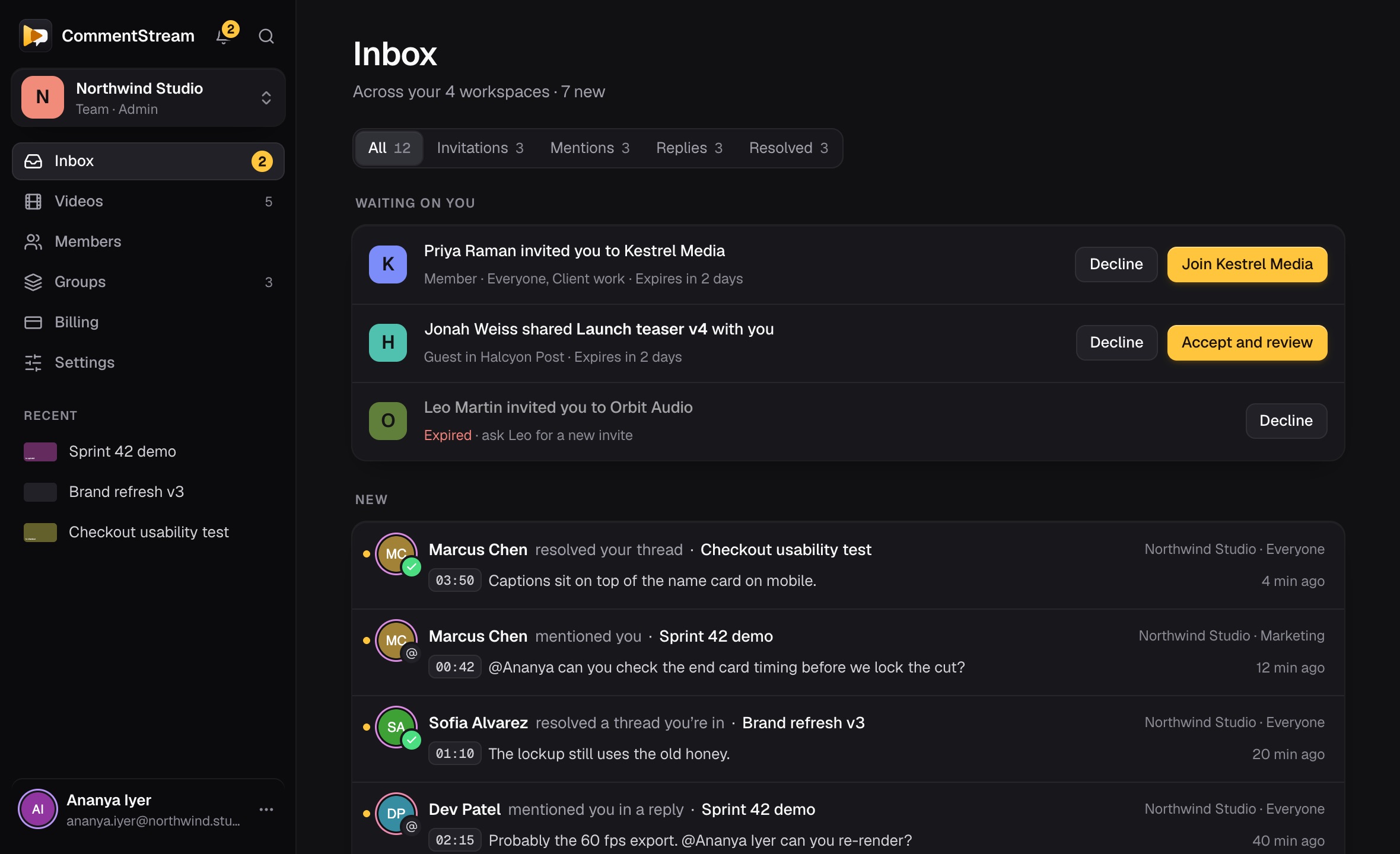
Accept an invitation in place, then jump from a mention straight to its moment. It lists only conversations you can open today, and marks what’s new since you last looked.
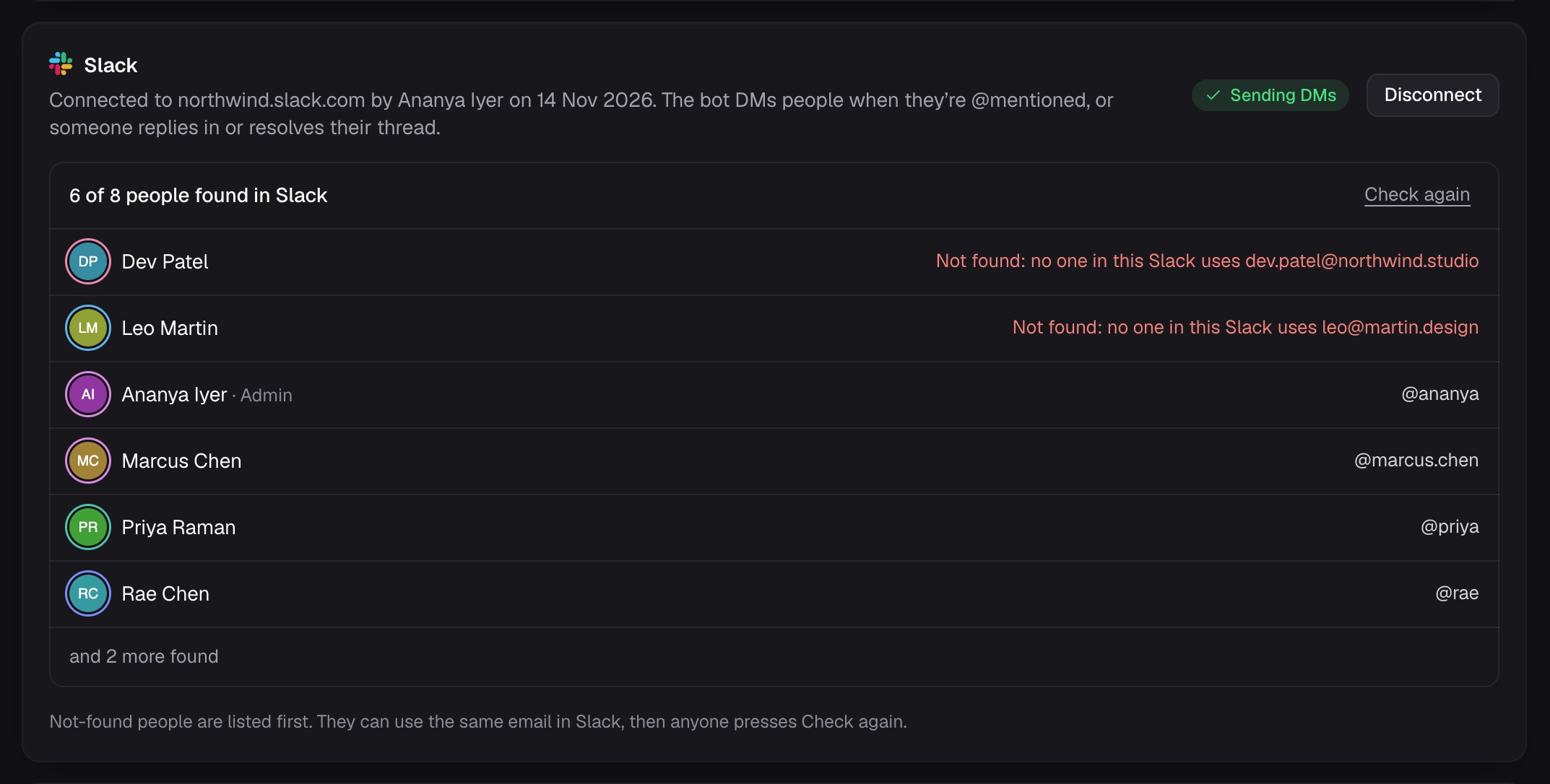
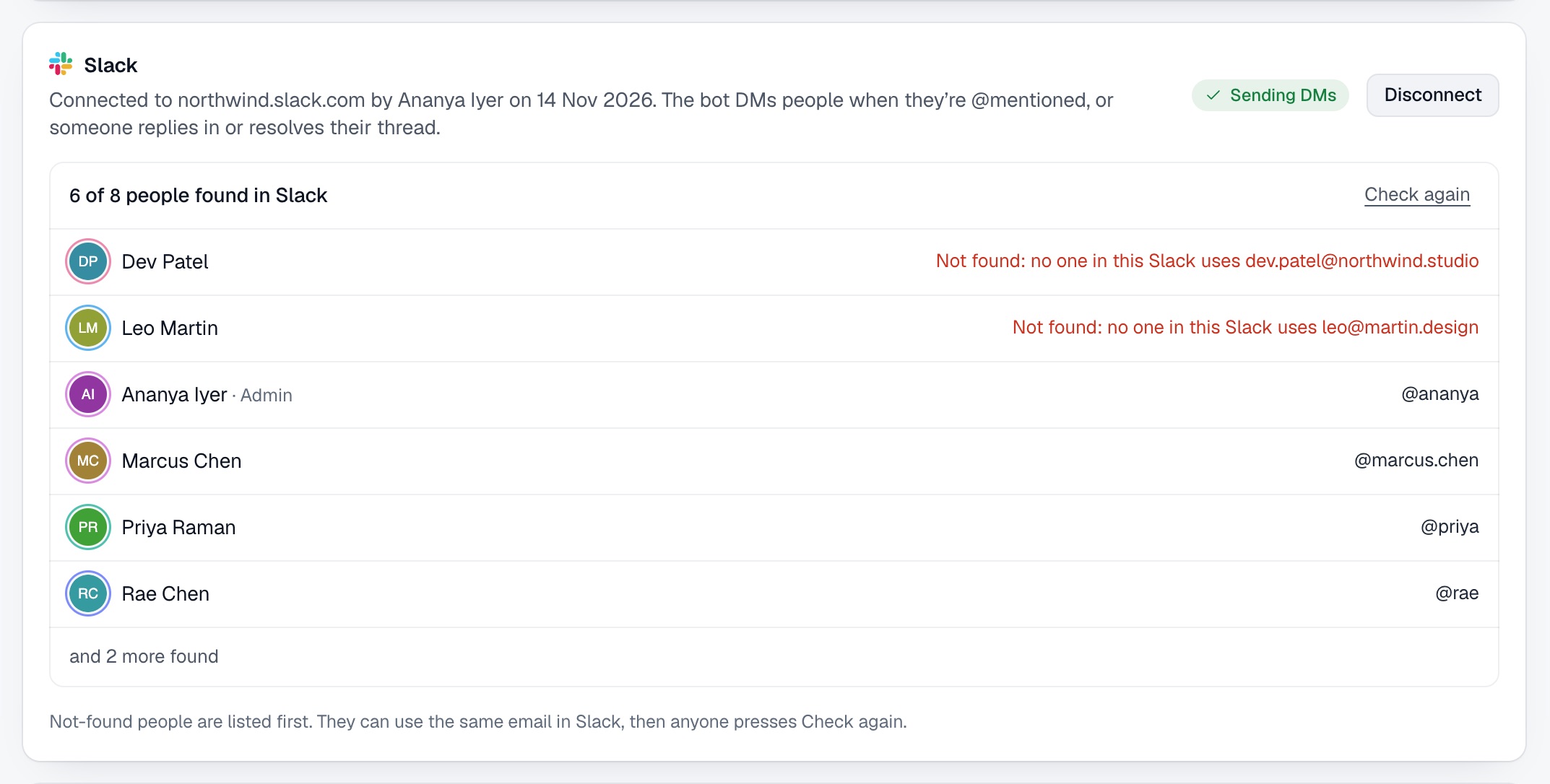
An admin connects Slack once in Settings. People are matched by their email, each person can switch their DMs off, and comments never land in a channel.
Pricing
14-day trialTry Pro free for 14 days. No card needed, and nothing is deleted when it ends.
For teams
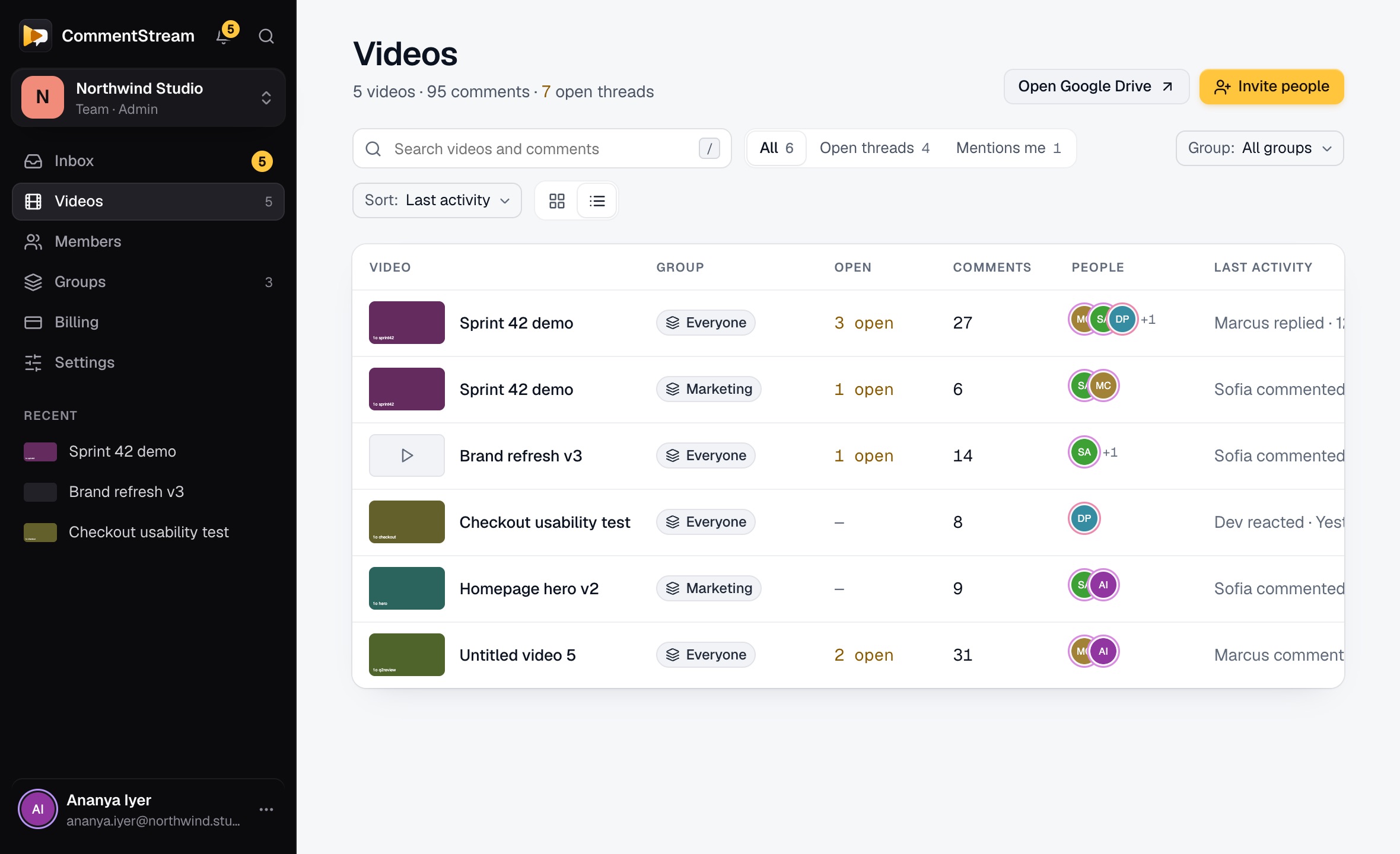
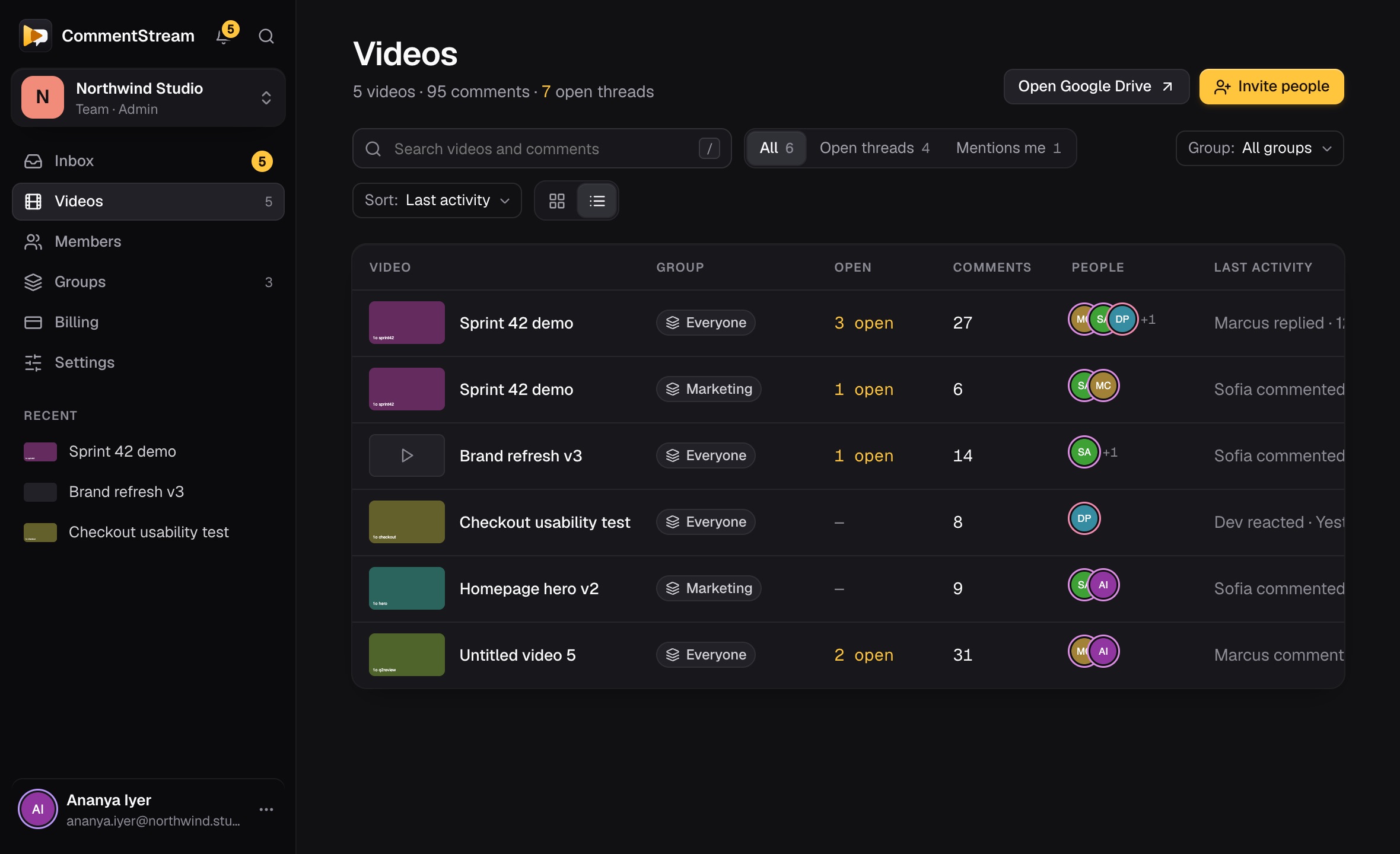
The CommentStream website is where a team gets set up: who is in, which group sees what, and which videos they have been reviewing.
Features
Pause anywhere and write. The comment carries the exact timecode, so clicking it plays from that frame.
Click the mic and talk. The video pauses, the comment is stamped at that second, and your words appear as you speak, with punctuation from Chrome. In Chrome, in English.
Every comment opens a thread. Replies stack under it with who said what and when, and new replies are marked.
Reply to one reply in a thread: yours quotes it, and the quote jumps back to it. Threads stay one level, so they read top to bottom.
React to any comment or reply with ✅ 👀 🙌 or any emoji. Chips show the count, and hovering one shows who reacted.
Type @ to pull a teammate into a comment. Comments that mention you are marked as yours.
Bold, lists and links in every comment, in an editor that stays out of the way.
Each moment people discussed shows their faces on the seek bar of the Drive player. Hover to read, click to jump.
As the video plays, the comment for that moment lights up in the panel and the next one is shown as up next.
A map of the whole video shows where comments and reactions cluster, so you start with the busiest parts.
React while you watch. The reaction rises on the video at that second for whoever plays it next.
A short summary of every comment on a video, with action items and unanswered questions at their timecodes. It reads the comments, not the video.
Resolve a thread when it’s done: it folds to one line with who resolved it, and its people hear about it. Reopen it any time; a new reply reopens it too.
Search every comment, reply and name on a video. Threads open where a reply matches, and the words are highlighted.
Pick one person or several to see the threads they wrote or replied in, or sort by time or by what's newest.
Your workspace lists every Drive video with comments, newest activity first, with open threads and your mentions a click away.
New comments and replies appear as they are posted. If the connection drops, it reconnects by itself and keeps what you had.
Invitations, @mentions, replies and resolved threads from every workspace in one list on the website, with what's new since you last looked.
On Pro and Business, a Slack DM when you're @mentioned, someone replies in your thread, or resolves it. Never a channel post.
A team workspace, free for up to 3 people, and a personal one for your own reviews. Everyone in a workspace sees the same comments.
Keep a conversation to the people it's for: named groups with their own comments, and group admins who manage who's in.
Invite by email and make people admins or members. Each admin and member is a seat; guests take none.
On Business, open your workspace to your company's email domain. Colleagues who sign in see it with its admins and members, and join in one click, up to a seat limit you set.
On Pro and Business, bring a client or freelancer into one video. They review it in their browser, with no extension and no seat.
Free for a small team; Pro and Business per seat. Try Pro for 14 days, and nothing is deleted if you go back to Free.
When someone leaves, their comments stay in the thread, marked as a former member, so the record stays whole.
Use the Google account you already open Drive with. Nothing new to remember.
Dark by default to sit beside the Drive player, with a light theme a click away. It remembers your choice.
Who it is for
Review demo recordings and prototypes frame by frame, and settle what ships in the thread on that moment.
Comment on sprint demos and bug reproductions at the second the problem shows up.
Give notes on cuts, voice-over and timing without exporting stills or typing timecodes by hand.
Annotate Google Meet call recordings saved to Drive: objections, promises and follow-ups, each at its moment.
Feedback on Meet recordingsTurn walkthrough recordings into a guided path, with questions and answers pinned where they come up.
Share one video with a client as a guest. They review it in their browser and comment on the exact frames, not in a long email.
How guests reviewFAQ
CommentStream is a Chrome extension that puts your team's comments beside videos in Google Drive, each pinned to the exact second, plus a website where teams manage workspaces, read every thread and invite guests to review in their browser.
Drive lets you leave a comment at a timestamp, reply, mention people and resolve it. CommentStream adds the conversation around the comment: reactions on the video and on comments, replies that quote a reply, faces on the seek bar, an inbox across videos, Slack DMs, guests who review in their browser, and AI summaries of what the team said. And in Drive a Viewer can’t comment; in CommentStream, anyone in your workspace who can play the video can.
For teams on Google Workspace, often yes. Record with Google Meet or Google’s free Vids Screen Recorder, keep the video in Drive, and use CommentStream for the conversation around it. CommentStream doesn’t record video itself.
It works on videos you open in Google Drive in Chrome, including Google Meet recordings that are saved to Drive. There is nothing to upload or convert: the video stays where it is.
No. Comments are stored by CommentStream, not in the file. Your video in Google Drive is not modified.
People in your workspace, or only the people in a group when you post in one. A guest sees only the one video that was shared with them.
To comment beside the video in Drive, yes: members install the Chrome extension and sign in with Google. On the website they can read every thread, resolve it and jump to its moment in Drive. Guests, on Pro and Business, don't need the extension: they review the video shared with them on the CommentStream website.
Yes. The Free plan covers up to 3 people, 5 videos with discussion and 3 AI summaries a month. Pro is $5 per seat a month, or $36 a year, and you can try it free for 14 days with no card.
Only as direct messages, on Pro and Business: to the person who was @mentioned, and to the people in a thread when someone replies in it or resolves it. It never posts in channels, and each person can switch their DMs off.
The extension runs in Google Chrome, in its side panel beside the video. Guests review on the CommentStream website, which we test in Chrome.
Yes. Summarize discussion reads every comment on a video, not the video itself, and writes a short summary with action items and unanswered questions at their timecodes. You can ask a follow-up question about the discussion.